Installing Ollama and Open WebUI in Docker Single Image

To learn more about Local AI topics, check out related posts in the Local AI Series
Have questions, ideas to share, or just want to connect? I’d love to hear from you! Check out my About Page to learn more about me or connect with me.
When I initially installed Ollama and Open WebUI I installed it in two separate images (Did not know any better!). It worked well for what I wanted but then as I played with other applications, I started to have too many containers in Docker, so I looked for a way to consolidate images. ( Not sure at this point if this is a good or bad practice, but I am going to try it..
First Stop all of your existing containers..
Open Docker Terminal
To run Open WebUI with Nvidia GPU support, use this command which facilitates a built-in, hassle-free installation of both Open WebUI and Ollama, ensuring that you can get everything up and running swiftly.
docker run -d -p 3000:8080 --gpus all --add-host=host.docker.internal:host-gateway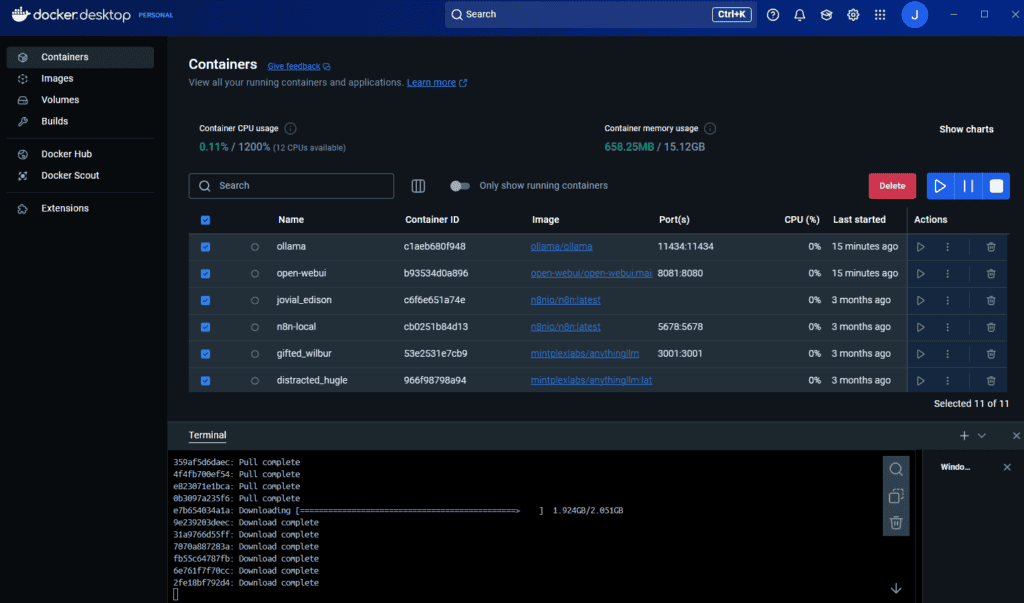
After installation, you can access Open WebUI at http://localhost:3000.