Why is Apple’s Unified Memory So Popular for Local AI

To learn more about Local AI topics, check out related posts in the Local AI Series
Apple’s Unified Memory has been a game-changer for Local AI and Everyone Else is Catching Up..
The buzz around Artificial Intelligence is everywhere, and one of the most exciting frontiers is “Local AI” – running powerful AI models directly on your device, without sending your data to the cloud. If you’ve been following the developments, you might have noticed a recurring theme: Apple’s Mac platform, particularly with its custom Silicon chips (M1, M2, M3, M4 series), often gets lauded for its surprising prowess in this area.
So, what’s Apple’s secret sauce? It all boils down to a core architectural difference: Unified Memory.
The Old Way: A “Wall” Between CPU and GPU
To understand why Apple’s approach is so effective, let’s look at how traditional computers (most Intel/AMD PCs with discrete graphics cards) are built:
- CPU RAM (System Memory): Your main processor has its own pool of RAM. This is where your operating system, web browser, and most applications live.
- GPU VRAM (Video Memory): If you have a powerful graphics card (like an NVIDIA RTX or AMD Radeon), it comes with its own separate pool of very fast memory, called VRAM. This is essential for graphics, gaming, and increasingly, AI tasks.
This setup creates a “wall.” If your CPU processes some data and then needs the GPU to crunch it for an AI task, that data has to be copied from the system RAM, across a relatively slower bus (like PCIe), and into the GPU’s VRAM. This copying takes time and energy, creating a bottleneck. Imagine constantly having to physically move files between two separate offices, even if they’re in the same building.
Apple’s Way: The “One Big Office” Approach (Unified Memory)
Apple Silicon chips employ a Unified Memory Architecture (UMA). Here’s why it’s a game-changer for Local AI:
- One Pool of Memory: Instead of separate pools, there’s just one large, high-bandwidth memory pool that is directly accessible by all components on the chip: the CPU, GPU, Neural Engine, and other specialized processors.
- No Copying Needed: If the CPU generates a dataset for an AI model, the GPU doesn’t need to wait for it to be copied. It can access that data instantly, at the exact same memory address, with virtually zero latency. This is like everyone in the same office sharing one central document server.
- Massive Capacity: Because the entire system’s RAM is available to the GPU, Macs can offer truly massive amounts of memory for AI. While a high-end discrete graphics card might have 24GB of VRAM, an M2 Ultra or M3 Max Mac can be configured with up to 192GB of unified memory, all of which can be leveraged by AI models.
Why is this critical for Local AI?
Large Language Models (LLMs) and other advanced AI models are huge. A 70-billion parameter model, for example, might require 70GB or more of memory just to load.
- On a traditional PC, even with a powerful 24GB GPU, you’d struggle to run such a model locally without significant compromises.
- On a Mac with 64GB or 128GB of unified memory, that model can load entirely into memory and run efficiently.
This means Macs can run much larger, more complex AI models locally than many similarly priced (or even more expensive) traditional PCs.
Everyone Else is Playing Catch-Up
The efficiency and performance benefits of Apple’s unified memory for AI are so clear that the rest of the industry is rapidly adapting:
- Intel: With their “Lunar Lake” chips, Intel started placing memory directly on the processor package, much like Apple. While their future plans for this approach might vary for cost reasons, it shows recognition of the UMA advantage.
- AMD: AMD’s upcoming “Strix Halo” chips are designed to be direct competitors to Apple Silicon, featuring a unified architecture that allows the GPU to utilize a vast amount of system RAM (up to 128GB).
- AMD launched a specialized line of chips (Ryzen AI MAX) designed specifically to compete with Apple’s high-end “Pro” and “Max” chips.
- Unified Architecture: Like Apple, it uses a massive pool of unified memory (up to 128GB).
- Local AI Advantage: In 2026, this is the first Windows-native platform that allows you to allocate up to 96GB or more purely to the GPU. This means you can run massive 70B+ parameter models on a Windows laptop or Mini PC—something that was previously only possible on a Mac or a massive desktop with multiple NVIDIA cards.
- The VRAM Trick: It uses a feature called Variable Graphics Memory (VGM) that lets you “borrow” almost all your system RAM for the GPU.
- Qualcomm: Their Snapdragon X Elite chips for Windows laptops also adopt a highly integrated SoC design with unified memory, aiming for efficient local AI processing on the go.
- Qualcomm has made a huge push into the Windows laptop market with their ARM-based chips.
- Architecture: Extremely similar to Apple Silicon. It is a highly integrated SoC with a powerful NPU (Neural Processing Unit) and unified memory.
- Local AI Impact: While the memory bandwidth is lower than Apple’s “Max” chips, these laptops are incredibly efficient for smaller AI models (7B to 14B parameters). They are currently the leaders in battery life for Windows-based Local AI.
- NVIDIA: Even NVIDIA, the king of discrete GPUs, is exploring “superchip” designs like Grace Blackwell, which tightly integrate CPU and GPU with high-bandwidth, unified memory for high-performance computing and AI workstations.
- NVIDIA “Grace Blackwell” (DGX Spark)
- While NVIDIA is famous for separate graphics cards, they have released a platform called Grace Blackwell (GB200) for workstations.
- Superchip Design: It physically bonds an ARM-based CPU and a Blackwell GPU together using a high-speed link (NVLink-C2C).
- Performance: For Local AI developers, NVIDIA offers the DGX Spark, a desktop-sized “supercomputer” with 128GB of unified, coherent memory.
- Why it matters: It gives you the legendary NVIDIA “CUDA” software support (which is still the gold standard for AI) but with the unified memory benefits of a Mac.
- NVIDIA Desktop (The “Brute Force” Platform)
- If you aren’t using a “unified” chip, the alternative is still the classic Desktop PC with a high-end GPU.
- How it works: Instead of one pool of memory, you use VRAM on your graphics card.
- The 2026 Standard: Local AI users now frequently use multi-GPU setups (e.g., two RTX 5090s). By linking two cards together, you can create a “virtual” pool of 48GB+ of extremely fast memory.
- Comparison: This is much faster than Apple’s unified memory, but it uses 10x more electricity and requires a massive power supply and cooling.
- NVIDIA “Grace Blackwell” (DGX Spark)
Here is a quick comparison chart in 2026:
Platform Comparison for Local AI (Feb 2026 edition)
| Platform | Best For… | Max AI Memory | Key Hardware |
| Apple Silicon | Stability & Private Agents | 192GB (Unified) | M4 Ultra (UMA) |
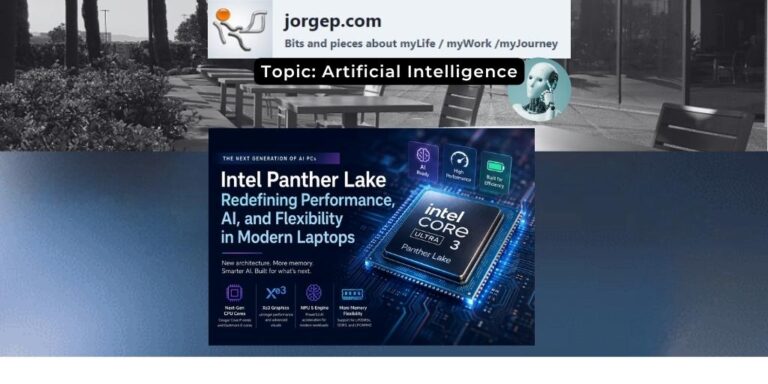
| Intel Panther Lake | The “Mac-Killer” Laptop | 128GB (LPDDR5X) | Core Ultra Series 3 |
| Intel Xeon 6 | Massive Local Datasets | 64TB (CXL/DDR5) | Granite Rapids (AP) |
| AMD Strix Halo | Windows Power Users | 128GB (Unified) | Ryzen AI MAX+ |
| NVIDIA Grace Blackwell | Professional AI Research | 576GB+ (HBM3e) | GB200 Superchip |
| NVIDIA RTX (Desktop) | Speed & Model Training | 24GB – 48GB | RTX 5090 (Discrete) |
| Qualcomm Snapdragon | All-Day Battery AI | 64GB (Unified) | Snapdragon X2 Elit |
But you maybe asking: What about Intel’s NPUs?
While Apple has included a “Neural Engine” since the M1, the Intel platform has recently undergone a massive architectural shift to keep pace. Starting with the Core Ultra (Meteor Lake and Lunar Lake) series, Intel introduced the NPU (Neural Processing Unit) as a dedicated third pillar of the chip.
Where the Intel NPU Fits
In the Intel ecosystem, the NPU is designed to be the “efficiency expert.”
- The CPU handles quick, complex logic (the “manager”).
- The GPU handles massive parallel data like 3D rendering and heavy AI lifting (the “brute force”).
- The NPU takes over “always-on” AI tasks—like eye-tracking, background blur in video calls, or local language model “assistant” tasks—using significantly less power than the GPU.
By offloading these tasks to the NPU, Intel laptops can run AI features without draining the battery or spinning up the fans, mimicking the “cool and quiet” efficiency Apple is known for.
Intel vs. Apple: The Head-to-Head
| Feature | Intel NPU (Lunar Lake/NPU 4) | Apple Neural Engine (M4) |
| Peak Performance | Up to 48 TOPS (Trillions of Operations Per Second) | Up to 38 TOPS |
| Memory Access | Moves toward on-package memory (Lunar Lake), but traditional designs still rely on separate RAM sticks. | Fully Unified Architecture; memory is physically on the chip for zero-copy speeds. |
| Strengths | Versatility & Ecosystem. Works with a massive library of Windows apps via Intel’s OpenVINO. | Vertical Integration. macOS, CoreML, and the hardware are all built by one team for maximum “per-watt” efficiency. |
| Memory Limit | Can access up to 32GB or more of system RAM, but with higher latency than Apple. | Can access up to 192GB (on Max/Ultra chips) with massive bandwidth. |
The Critical Difference: High-Speed Sharing
While Intel’s new NPU is technically “faster” in raw TOPS (48 vs 38) in some generations, Apple’s secret remains the bandwidth. Apple’s Neural Engine can “talk” to the memory at speeds of up to 800 GB/s (on Ultra chips), whereas an Intel NPU often communicates over a slower bus.
In short: Intel has successfully built a “dedicated AI brain” just like Apple, but Apple still holds the crown for how fast that brain can “read” the data it needs to process.
The Bottom Line
For now, Apple’s years-long head start in deeply integrating its CPU, GPU, and memory into a single, highly efficient “System on a Chip” gives it a significant advantage for Local AI. This isn’t just about raw power; it’s about intelligent architecture that eliminates bottlenecks and allows AI models to scale on consumer hardware in ways previously unimaginable.
While the PC world is rapidly evolving to incorporate similar designs, Apple’s unified memory remains a key reason why your Mac might just be your most powerful local AI workstation.
References:
Update: Please see follow up article: Why Your Next AI Assistant Needs to Live on Your Hardware