Digital Coworkers: The New AI Teammates for Work
To learn more about Local AI topics, check out related posts in the Local AI Series
Have questions, ideas to share, or just want to connect? I’d love to hear from you! Check out my About Page to learn more about me or connect with me.
Part of: AI Learning Series Here
Quick Links: Resources for Learning AI | Keep up with AI | List of AI Tools | Local AI | AI Agents | Future of Work
Subscribe to JorgeTechBits newsletter
Explore the Latest Token Prices
Disclaimer: I create this content entirely on my own time, and the views expressed here are mine alone (not my employer’s). Because I love leveraging new tech, I use AI tools like Gemini, ChatGPT, Claude, Perplexity and others as a “digital team” to help research and polish these articles so I can share the best possible insights with you!
The workplace is moving beyond chatbots and into a new category of software: digital coworkers. These are AI systems that do more than answer questions; they can execute background tasks, manage files, coordinate workflows, and keep working on complex jobs with less step-by-step prompting.
What makes this shift important is simple: instead of asking AI to respond one message at a time, you can assign an outcome and let the system plan, act, and report back as work progresses. That is a big change for IT teams, operations groups, developers, and anyone who manages repetitive knowledge work.
What Digital Coworkers Do (Personal Agents!)
Digital coworkers are designed to behave more like collaborators than chat tools. They can pull from emails, meetings, files, and connected apps to carry out multi-step work across a workspace or operating environment.
In practice, that means they can prepare meeting packets, draft documents, summarize data, move through files, or complete a workflow without needing constant human supervision. The best systems use checkpointing—planning a multi-step workflow and pausing for human approval at critical junctures (like sending an outbound communication or modifying a production file) before resuming execution. This keeps the user firmly in control while drastically reducing the number of manual steps needed to finish work.
The Digital Coworker Landscape
The market has expanded rapidly, splitting cleanly into managed enterprise cloud ecosystems and local, highly customizable open-source frameworks.
Quick Comparison: Enterprise vs. Open-Source
| Platform Category | Key Examples | Best For | Execution Environment |
| Enterprise Native | Microsoft Copilot Cowork, Google Gemini Enterprise, Claude Cowork, OpenAI Workspaces, Vellum | M365/Google Workspace ecosystems, strict compliance, turnkey cloud deployment | Managed Enterprise Cloud / Secure SaaS |
| Open-Source / Local | Agent Zero, OpenWork, Kuse, OpenHands, OpenClaw, Hermes Agent | Maximum data privacy, custom local tool integration, offline file workflows | Self-hosted, Docker Containers, Local Hardware |
Proprietary vs. Open Source
The division between these two approaches comes down to control versus convenience. On one side, enterprise platforms like Microsoft Copilot, Gemini Enterprise, Claude Cowork, OpenAI Workspaces, and Vellum are designed to sit safely inside pre-managed business environments, wrapped in enterprise compliance guardrails like Microsoft Purview or Google Cloud security.
On the other side, open-source or self-hosted options like Hermes, Agent Zero, OpenHands, OpenWork, Kuse, and OpenClaw appeal to teams that require absolute control over their data, deep customization, or local offline deployment. Choosing the right path depends entirely on whether an organization prioritizes native cloud integration and immediate compliance, or model independence and open-source flexibility.
Common Platforms
- Commercial:
- Claude Cowork — A background-work and workflow execution layer associated with Claude, built heavily around desktop execution, multi-step planning, and file-grounded tasks.
- OpenAI Workspaces — A workspace-style agent environment for structured task execution and coordination, functioning as an outcome-driven task-and-workflow layer rather than a simple conversational chatbot.
- Microsoft Copilot Cowork — Microsoft’s M365-native coworker layer designed for delegating outcomes across Outlook, Teams, Excel, Word, and connected enterprise apps. ( see blog post: The Future of Work: Microsoft Copilot Cowork )
- Gemini Enterprise & Workspace Intelligence — Google’s centralized agentic platform that deploys long-running background agents across Gmail, Drive, Docs, and Sheets to automate cross-app workflows using centralized institutional knowledge.
- Gemini in Chrome (Project Jarvis Suite) — Google’s native browser-level agent ecosystem that uses a vision-action loop to view, navigate, and execute multi-step tasks directly across web applications and open tabs on behalf of the user.
- Open Source:
- OpenClaw — An open-source personal AI employee project featuring multi-platform communication support and modular tool integrations.
- Agent Zero — An open-source agentic framework and computer assistant built for fully autonomous terminal, code, and browser execution. Please see my Agent Zero article series
- Hermes Agent — An open-source, self-hosted autonomous AI agent featuring persistent memory and multi-platform communication support.
- Vellum — A specialized enterprise platform for building, testing, and managing custom AI agents tailored for internal company workflows.
- Kuse (Kuse Cowork) — An open-source alternative to proprietary workspace layers, focusing heavily on secure local file workflows and model-agnostic setups.
- OpenHands — An open-source agent platform optimized specifically for software development, terminal interaction, and task automation.
- OpenWork — An open-source computer-use agent built for secure, robust desktop task execution and environment navigation.
The New Playbook for Managers
Adopting digital coworkers requires a structural shift in operational management. Teams finding success with background agents are changing how they approach two core areas:
- Standard Operating Procedures (SOPs) Become Code: Ambiguous instructions fail when handed to an autonomous agent. Workflows must be explicitly mapped out with strict conditional logic, because agents execute exactly what is documented, not what is implied.
- From Micro-Managing to Guardrail Setting: Instead of monitoring the AI line-by-line, managers must focus on defining the sandbox. This means securing local environments, containerizing execution spaces, and explicitly configuring which folders, APIs, and communication channels the digital coworker is permitted to touch.
Why This Matters Now
The rise of digital coworkers is changing how people think about productivity software. Instead of spending time on repeated coordination and manual data movement, users can hand off an objective and let the system assemble the pieces across documents, calendars, and external applications.
References
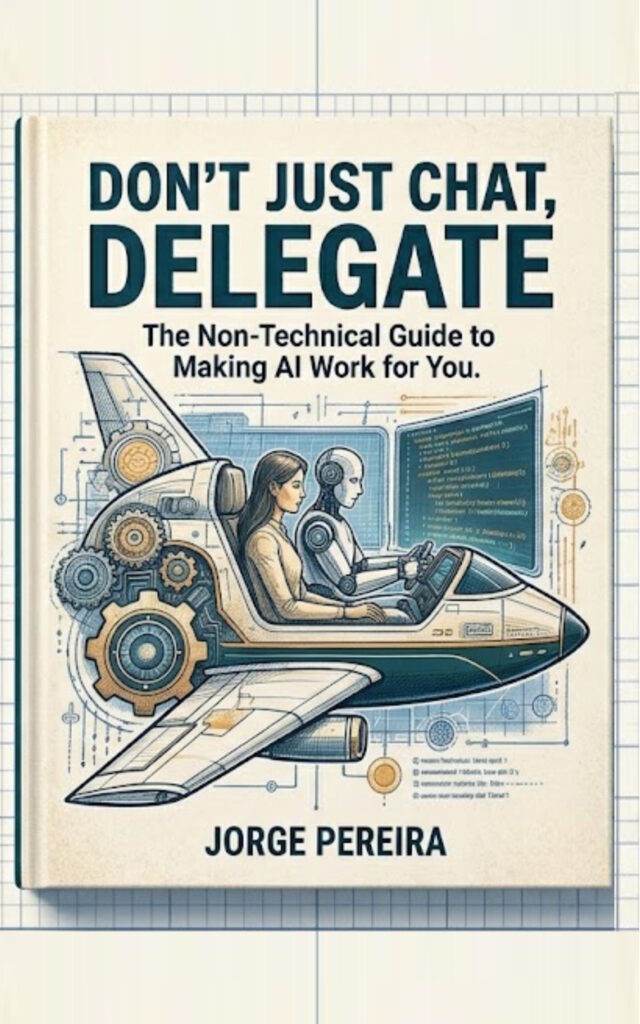
- Read my other Related Articles: AI: DontJustChat
- Anthropic Claude Infrastructure & Execution: Architectural frameworks outlining desktop execution patterns and agentic task flows are detailed in Anthropic’s Claude Cowork System Core.
- Google Gemini Enterprise Agent Platform: Official release parameters regarding long-running background orchestration, Agent Studio logic, and centralized governance are documented via the Google Cloud Blog Announcement.
- Microsoft 365 Copilot Cowork System: Technical specifications detailing context grounding and background “plan-to-action” loops across Outlook, Teams, and Excel are outlined in the Microsoft 365 Core Announcement.
- OpenAI Workspace Agent Systems: Security, compliance frameworks, and drag-and-drop orchestration guides for multi-app enterprise automation are outlined in the OpenAI Workspace Agents Documentation.