Beyond the Chatbot: A Look at My Current AI Lab
To learn more about Local AI topics, check out related posts in the Local AI Series
Have questions, ideas to share, or just want to connect? I’d love to hear from you! Check out my About Page to learn more about me or connect with me.
Part of: AI Learning Series Here
Quick Links: Resources for Learning AI | Keep up with AI | List of AI Tools | Local AI | AI Agents | Future of Work
Subscribe to JorgeTechBits newsletter
Explore the Latest Token Prices
Disclaimer: I create this content entirely on my own time, and the views expressed here are mine alone (not my employer’s). Because I love leveraging new tech, I use AI tools like Gemini, ChatGPT, Claude, Perplexity and others as a “digital team” to help research and polish these articles so I can share the best possible insights with you!
I get asked all the time: “What are you actually using for your AI Lab?”
To answer that, I wanted to provide an update on how I’m building, testing, and deploying. But first, a little background. I’m a technology consultant and services principal, and I’ve been developing custom software since I was 15. I’ve been deep in the AI space for about three years now—not as a researcher or an LLM creator, but as a practitioner.
I was doing local AI before it was a “talk track,” and I’ve been vocal about the fact that you do not need hundreds of thousands of dollars to leverage AI for your business. Although credit is given to OpenAI for bringing it to market, I’ve spent a lot of time writing and speaking, trying to demystify the myth that “AI = ChatGPT.” (urgh!)
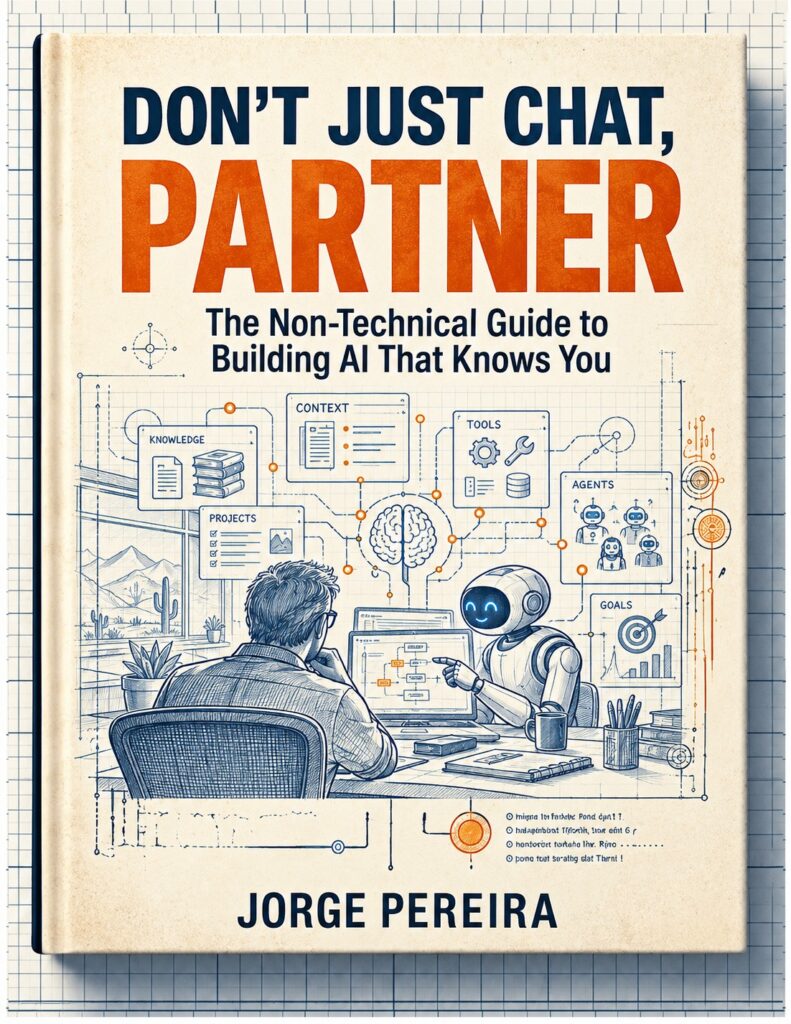
Chatbots are just one small interface to tap into this technology—a point I explore in my book series, Don’t Just Chat. True AI utility isn’t just about the raw intelligence of an LLM; it’s about context management, responsible routing, tool access, and the complex web of integrations that make AI practical in the real world.
This is an update to my last Building the Ultimate Private AI Lab blog a few months back on this topic
To do this right, you do not need what I have.
You only need ONE COMPUTER as long as it has enough memory and you have the choice to use local AI or use LLM service aggregator gateway to access the LLMs you need!
Here is my current setup.
My Philosophy: Hardware, OS, and Containers
Early on, I realized I didn’t need a massive, monolithic server build to create AI-enabled apps. Between open-source tools and pay-as-you-go LLM distribution, I can take advantage of any frontier model affordably. A 32GB RAM workstation can do A LOT.
While I’ve used Ubuntu for years because of my web hosting business, I’ve historically been a Windows user. However, with the sunsetting of Windows 10 and the strict requirements of Windows 11, I’ve been migrating many of my systems to Linux distributions, and I’ve been incredibly impressed.
My preferred installation method is containerization (Docker and Podman). Because I’m constantly testing and iterating, I need an environment where I can kill an experiment without affecting the rest of my workflow.
You can get a lot of AI with just an aggregator, model hosted locally and the right self-hosted tools. While much of my experimentation happens on local hardware, I’m also a big proponent of flexible access. When I need to bridge the gap between local power and remote availability, I often deploy self-hosted instances on a VPS or use Tailscale to securely expose my lab services to the outside world. This hybrid approach ensures that whether I’m at my desk or on the move, my agents, tools, and custom environments are always reachable without compromising on security or control.
Self-improving Agentic AI takes a lot of tokens and tokens are at a premium so having the ability to hosted and accessible is a plus!
My Current Lab Inventory
| Device | Specs | Notes |
|---|---|---|
| Ryzen AI PC | AMD Ryzen AI 9 HX 370, 128GB RAM, 1TB Disk | My primary “production” AI server. Converted from Win11 to Ubuntu. Runs the model server (using FastFlowLM to maximize NPU usage) plus Docker containers for OpenWebUI, n8n, Agent Zero, and my own apps/tools: API Key Tracker and Unified AI Chat Hub |
| Precision 5540 | i7-9750H, 32GB RAM, 2TB Disk | My remote dev and test machine. Home to VS Code and Kilo Code (I’ve moved on from Cursor due to mounting limitations). |
| Mac Mini M4 | 32GB RAM, 512GB Disk | MacOS 26 (Tahoe). Essential for cross-training, staging, and hosting models that fit into my unified hub. |
| Nimo | AMD Ryzen 7 PRO 6850U, 32GB RAM | My mobile workstation. This is where I experiment with agentic AI—Claude Cowork, OpenAI Cowork, and lately, Hermes Desktop. |
| Dell E6330 | 32GB RAM, 2TB Disk | My ProxMox server. Hosts my media and, most importantly, Portainer, which manages all my Docker instances. |
| DELL GB10 | 64GB RAM | Dell Pro Max with NVidia’s GB10 chip — Bought it early before the price hikes due to supply issues Tech Supply Chain Crunch — it is a dedicated server for a client’s production environment (automating processes and agentic workflows). |
The Power of Integration: OpenRouter
My go-to for accessing the raw power of LLMs is OpenRouter.ai. It serves as a unified gateway to a vast range of models. It’s convenient for switching models, keeping billing in one place, and accessing open-source options without managing a dozen different provider integrations.
If you’re looking for alternatives to OpenRouter, here is how I categorize the landscape:
- Direct Aggregators (e.g., Ofox): Best for avoiding credit fees and accessing specific regional models (like DeepSeek or Qwen).
- Self-Hosted Proxies (e.g., LiteLLM): Gives you full control over infrastructure and security.
- Enterprise Gateways (e.g., Portkey, TrueFoundry): Necessary for production-readiness, guardrails, role-based access control (RBAC), and VPC requirements.
- Platform-Native (e.g., Cloudflare/Vercel Gateways): Best if you are already locked into their respective ecosystems.
- Inference & Multimodal (e.g., Together AI, Fireworks, AI/ML API): Best for speed, low-latency, or specific text/image/video model needs.
Final Thoughts and My Advice to everyone that asks me:
I’ve learned a great deal throughout this journey, but one thing is crystal clear: What I knew last month is already becoming old news. This field is moving at an incredible speed.
Stay informed, keep experimenting, and don’t just read about it—build it for your own use cases.
It is the only way to truly learn this technology right now.
Let me know what you are doing! — follow me on LinkedIn, subscribe to my email or send me a message via X or BlueSky
Have questions, ideas to share, or just want to connect? I’d love to hear from you! Check out my About Page to learn more about me or connect with me.